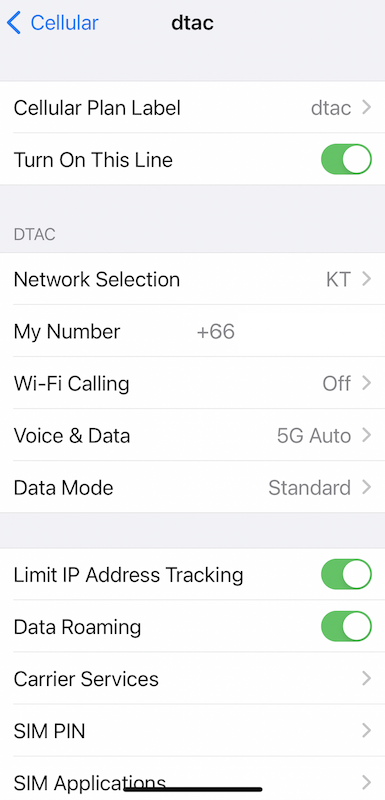
In April 2023, I purchased 3 eSIMs what I can use in South Korea at KKday. 2 are roaming eSIMs, and another is an authentic eSIM by SK, one of a Korean telecommunication companies.
This is my recommend to use when you visit South Korea.
I wanted to have a Korean phone number, receiving is pretty enough. I wanted to use that phone number for a one day packaged tour.
LG U+ required to sign up on their site, and seems KT requires physical SIM to receiving. I needed a eSIM for 3 days, SK looks better.
QR Code from “Korea SIM Card”
In this time, 7 mins after purchasing at KKday, I got a mail from “Korea SIM Card”, there is a QR Code and a phone number.

I think it is not MVNO, because there is a phrase of “If you encounter technical troubles, please contact SKT customer center”.
I could not finish “activate”
I read the QR code while I was in Japan, but I could not finish it, but I found that 010 number was added as my phone number, I thought it was already installed.
When I arrive at South Korea, my iPhone SE2 did not catch the wire, on the other hands, iPhone 13 Pro caught SK wire (there were roaming eSIMs), I shut it down and activate few mins later. This eSIM started working.
This is the screenshot of the setup.
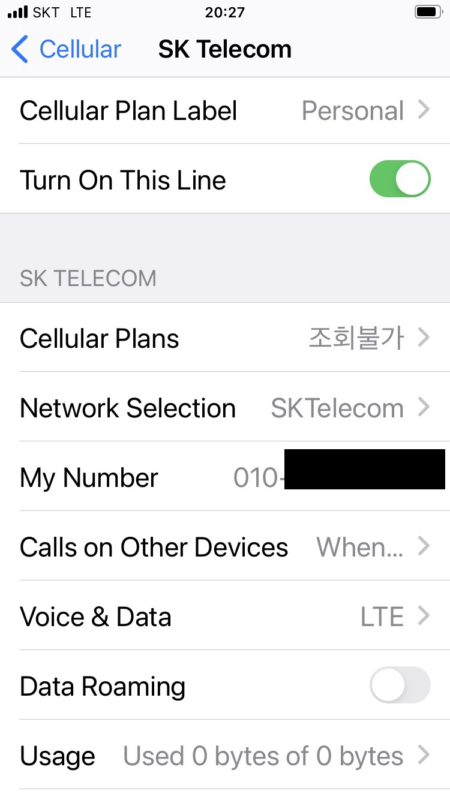
You have no need to change “Data Roaming” part, because it is not a roaming SIM.
Update, July 2026: This no longer matches how the eSIM works
In April 2023, my number worked as soon as the eSIM activated. I did not register anything separately.
As of July 2026, KKday’s product page states that the phone number and voice/SMS function only work after you register your passport online at skroaming.com/passport, and only between 8 AM and 10 PM after you clear immigration. If that registration fails, or you land outside that window, the page tells you to visit the SKT roaming booth in person.
I have not been through this newer registration step myself, so I cannot tell you how long it takes or how smooth it is. This is a product category that keeps changing shape. Check the current product page yourself before you buy, not just this article.
Public Alert
It was Sunny and nice air condition in the arrival day, but the next day, it was attacked by Chinese Yellow Dust. When I visited Gyeongjyu, I got something alert.

It is Yellow Dust warning. My phone mode is Japanese, 緊急速報 means “Public Alert”. Of course I don’t read their letters, but we “Translation”. It worked pretty well.
What the day before I got the Yellow Dust alert, seems it is about a missed old woman.
There were no such alert in the roaming phone, this is the reason why I recommend to use this authentic SK SIM.
When you are not able to use eSIMs, SK physical SIM should be my recommendation.