
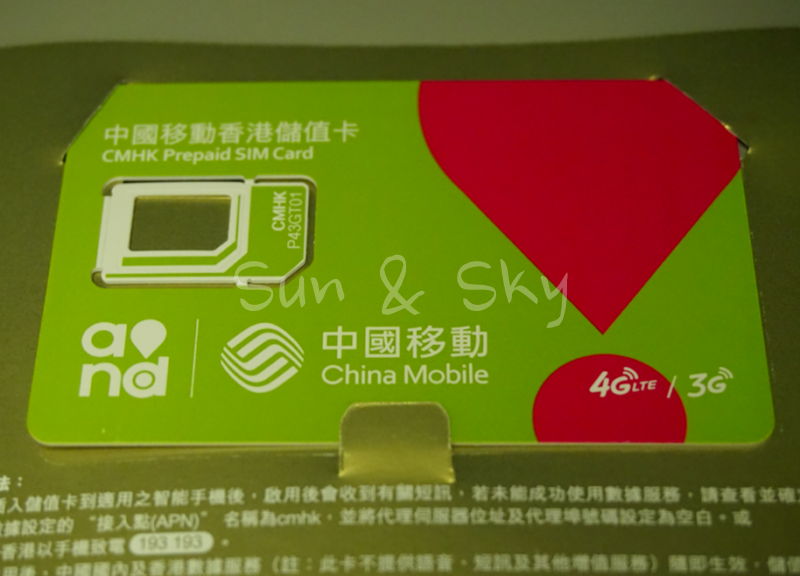
You land at Pudong, the free airport Wi-Fi connects without any trouble, and Google still won’t load. That’s not a Wi-Fi problem. Mainland China’s internet blocks Google, Gmail, WhatsApp, and a long list of other services regardless of which network you’re on — the fix isn’t a better Wi-Fi connection, it’s a different kind of mobile line.
It’s known as the “Great Firewall of China”.
The Great Firewall of China is part of the Golden Shield Project.
This guide is based on 8 trips to mainland China since December 2024, each with its own connectivity setup planned in advance, including a side-by-side test of 4 different lines during an October 2025 trip to Xi’an.
What is Great Firewall of China?
The original “Great Wall” was built to defend against attacks from “Barbarians”. Here’s a photo of this Wall from Agoda.

agoda Commune by the Great Wall Hotel Beijing
It is a huge physical wall, but now a Firewall has been built to “prevent” nationals from “harming national security, public order, social stability, and Chinese morality”. This is NOT the time to discuss whether the fact that this Wall and the Golden Shield Project exist is fair and acceptable or not.
Because, whether it is acceptable or not, the wall currently blocks users’ connection to sites like Google, Facebook, Twitter, etc.
I regularly use Gmail for my business, Facebook too, and X is a big part of my life for chatting with my online friends.
There are some VPNs that you can use to ‘climb’ over the Wall, but they are not always stable.
Quick answer
- Need Gmail or LINE? Local Wi-Fi won’t do it. You need a roaming-type SIM or eSIM.
- Need Alipay, WeChat, or DiDi to actually work — receiving the SMS verification code, not just opening the app? You need a Chinese phone number.
- Planning to rely on a VPN instead? It’s gotten considerably less reliable since a nationwide crackdown in April 2026.
- One line rarely covers both jobs. Plan on carrying two.
- The SIM counter at Pudong is convenient but not cheap.
Landing at Pudong: Wi-Fi works, Google doesn’t
Pudong’s free Wi-Fi has supported passport-based sign-in since at least May 2024, according to Shanghai Airport Authority’s own announcements — useful if you don’t have a Chinese phone number to receive an SMS code. Foreign passport holders can scan their passport photo page and get online in a few taps.
Getting online, though, isn’t the same as getting to Google. The Wi-Fi network is still mainland Chinese infrastructure, so it’s subject to the same filtering as any other domestic connection. Gmail, YouTube, Instagram, WhatsApp, and LINE won’t load, VPN or no VPN — the Wi-Fi itself doesn’t route around any of it.
Local vs. Roaming: why some connections get through
The difference isn’t the device, the app, or even the connection speed. It comes down to whether your data is routed as domestic Chinese traffic or as international roaming.
A SIM or eSIM running on a mainland carrier’s own network gets filtered the same as any local connection, even if you bought it through an international platform before you left home. A line that roams onto China’s networks from a foreign carrier’s home network routes as if you were still abroad, and the block simply doesn’t apply to it. That’s the entire logic behind carrying a roaming line while traveling in China — it isn’t a workaround, it’s just how international roaming works everywhere.
Across 4 different lines tested side by side during a trip to Xi’an in October 2025 — a Hong Kong-based roaming eSIM, a data eSIM bought through KLOOK, and 2 Japanese postpaid carriers roaming in — Gmail and LINE worked on all 4. Connection speed varied a lot between them, but that had no bearing on whether Google-family services worked at all.
If you need a Chinese phone number
Roaming solves Google. It doesn’t solve everything else. Alipay, WeChat, DiDi, 12306 (China Railway’s official ticketing app), and most banks’ one-time codes all get sent by SMS to a Chinese number — and a data-only roaming eSIM doesn’t have one.
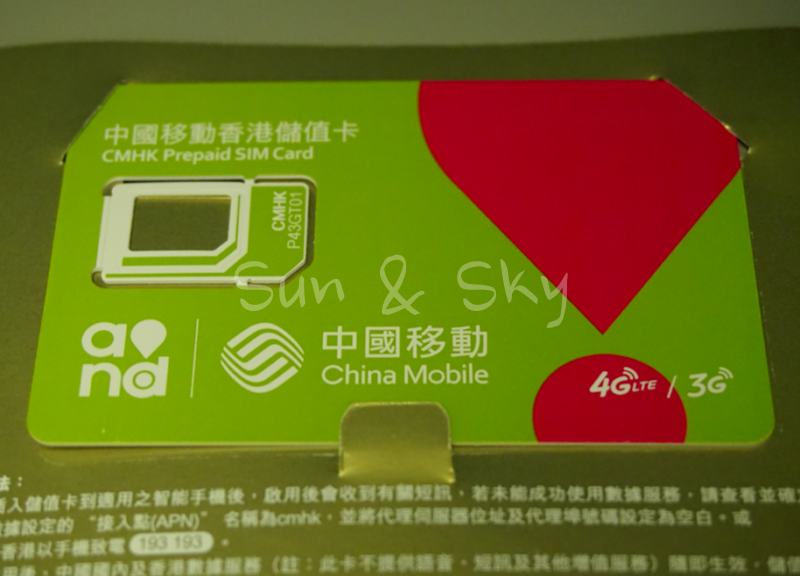
Pudong Airport has its own SIM counters in the arrivals area, and buying one on the spot is about as simple as it gets: show your passport, pay, done. It isn’t cheap, though — expect several hundred yuan for a basic package, well above what a data-only eSIM costs. (I don’t remember the exact figure, just that it felt expensive at the time, so treat this as a rough impression rather than a confirmed price.)
Carrier shops in Shenzhen and other mainland cities also sell local SIMs to passport-holding visitors, and the prices there are reportedly friendlier than the airport counter — the tradeoff is a trip into the city instead of a 5-minute stop at arrivals.
A Hong Kong SIM with a paired mainland number used to cover this too, until tightened real-name rules on both sides closed it to new buyers.
Getting Gmail and LINE working
A roaming-type data eSIM, activated before you land, is what actually gets this working. The China eSIM sold through KLOOK is the one I’ve tested myself — during the October 2025 Xi’an trip, it got Gmail and LINE working, alongside 3 other lines running in parallel for comparison.
It came with real friction, though. Of the 4 lines compared, it was the slowest, and the APN didn’t configure itself — getting it working took a session with KLOOK’s chat support, not a quick manual entry. The backend carrier behind this eSIM has reportedly changed hands more than once, most recently landing on a Singapore-based network — likely because a Hong Kong-routed IP runs into OpenAI’s own Hong Kong exclusion, while a Singapore one doesn’t. A specific APN value isn’t worth publishing here as a result; if you hit the same issue, their chat support is the reliable path. I wouldn’t rely on it as your only line for the trip; treat it as one option to run alongside something else, not a standalone fix.
What it doesn’t cost you is access to Chinese apps. A common worry with roaming lines is that showing up on an international IP address locks you out of Alipay, Meituan, or Amap. Across all 4 lines tested, that didn’t happen once.
If your own mobile carrier includes mainland China in its international roaming coverage, that’s worth checking too — it runs on the same mechanism, no separate eSIM purchase needed, and it’s generally the smoother of the two to get running. Coverage and pricing vary a lot by carrier and by plan, so confirm before you fly rather than assume.
What about a VPN?
A VPN used to be the default answer here. Since early April 2026, it’s a far less reliable one. Carriers began detecting and blocking VPN traffic by its signature rather than by known server addresses, and enforcement action followed, including fines for domestic VPN use in at least one province. No foreign tourist has been reported fined or detained over it, but connections that worked reliably before April 2026 may now drop mid-session or fail to connect at all.
A roaming eSIM or SIM sidesteps the problem entirely. There’s no VPN signature to detect, because the connection was never inside the Chinese network in the first place — it’s carried on your carrier’s home network the whole time. Since April 2026, that makes roaming the steadier option, not just the more convenient one.
Carry two lines, not one
No single line covers everything here. The practical setup is 2 lines with 2 different jobs:
- A roaming eSIM or SIM — KLOOK‘s China eSIM, or your own carrier’s roaming coverage — for Gmail, LINE, and everything else the mainland blocks.
- A Chinese phone number, from the counter at Pudong or a carrier shop once you’re in the city, for the apps and services that text you a verification code.
If you only need email and messaging apps, one roaming line covers it. If you’ll be booking trains, paying through SMS-verified apps, or dealing with services that text your phone, budget for the second line too.
>>KLOOK5G eSIM China | China Unicom